
AI With No Restrictions: Create Any NSFW Image or Video with AINSFW.AI
Generate NSFW images and videos from text, an existing image, a character reference, or selectable tags. AINSFW.AI brings the complete NSFW creation process into one browser-based platform.
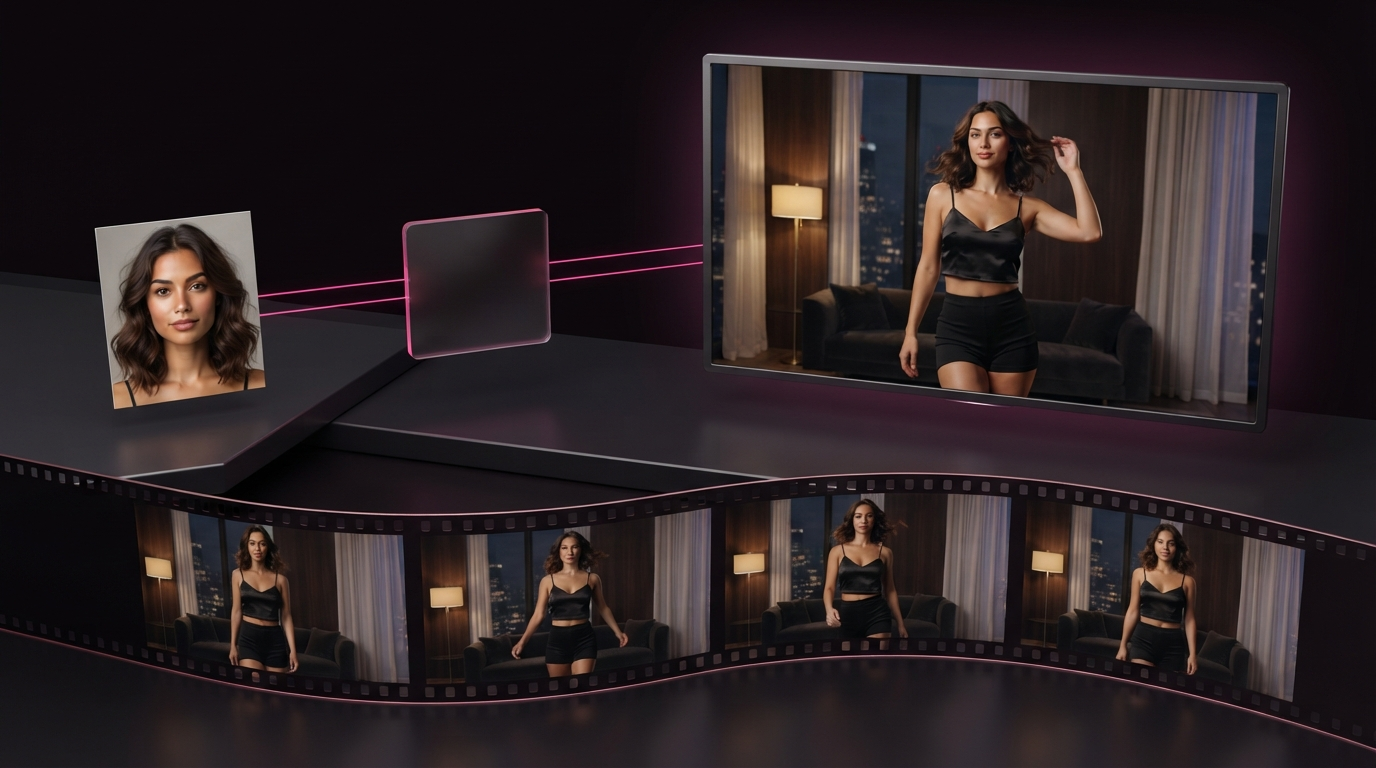
Create What You Came For
You do not need to learn every AINSFW.AI tool before creating. Start with the material you already have or the result you want to make.
Animate a Photo or AI Image
Already have a character image you like? Upload it, describe the movement, and turn the original frame into a short NSFW video.
This route works best when the character, outfit, pose, setting, and composition are already visible in the source image. Use the motion prompt to control what happens next instead of describing the entire image again.
Creation route: Image → Motion Prompt → Video
Generate a Video From an Idea
Start with a written scene instead of a source image. Describe the character, setting, action, framing, and camera behavior you want to see.
Text to Video is useful when the scene does not already exist and you want the generator to build both the visual composition and the movement.
Creation route: Text Prompt → Generated Scene → Video
Create From TextKeep the Same Character in a New Scene
Use an existing character as the visual reference while changing the setting, styling, composition, or movement around them.
Reference to Video is the better route when the character should remain recognizable but the new video should not be limited to the framing of the original image.
Creation route: Character Reference → New Scene → Recognizable Character
Use My CharacterCreate a Starting Image Without Writing a Full Prompt
Select the character, pose, outfit, setting, and visual style from available tags. Generate the image, approve the result, and either keep it as a finished still or send it into Image to Video.
Creation route: Select Tags → Generate Image → Approve → Animate
Generate From TagsWhy NSFW Creators Choose AINSFW.AI
An AI with no restrictions still needs to produce the right result. AINSFW.AI combines NSFW-focused generation, multiple creation modes, and connected image and video workflows so creators can move from an initial idea to finished content in one place.
No NSFW Creative Restrictions
Create the NSFW image or video you actually came to make. AINSFW.AI does not require you to hide a mature idea behind vague wording or redirect it into a sanitized result simply because the subject is NSFW.
Choose the creation route that fits your idea, describe the intended result directly, and keep control of what you are trying to make.
Trained for Better NSFW Results
Allowing an NSFW prompt is only the first step. The generator also needs to understand what the creator is asking for.
AINSFW.AI uses NSFW-focused training data to better understand mature characters, body positioning, skin detail, clothing states, intimate framing, and NSFW motion. The goal is not merely to let the prompt pass. It is to produce an image or video that is better aligned with the requested character and scene.
From the First Idea to Finished Content
Some platforms provide one image generator or one isolated video tool. AINSFW.AI supports the complete NSFW creation chain.
Start with a written idea and generate a new video. Build a character image from a prompt or selectable tags. Animate an approved image without rebuilding the scene. Use the same character as a reference when you want a different setting, composition, or movement.
A complete workflow can look like this:
Text or Tags → Character Image → Approve the Result → Image to Video → New Scenes With Reference to Video
The image and video tools are connected around the same creative goal, so you do not need to prepare a local model or move the project between several unrelated platforms.
Create a realistic starting character with the Real Girl Generator, choose an illustrated direction with the Anime Girl Generator, or build the image from selectable tags.Once the starting image looks right, animate the original frame or reuse the character in another scene.
Keep Control of the Character and the Scene
NSFW creators care about more than whether a prompt is accepted. The finished result still needs to match the intended character, scene, and visual direction.
AINSFW.AI gives creators different ways to control:
- Character identity and appearance
- Realistic or anime visual style
- Pose and body direction
- Clothing and visible state
- Framing and camera position
- Setting and atmosphere
- Movement and pacing
- Character continuity across new scenes
Use Image to Video when the existing composition is already correct. Use Text to Video when the entire scene needs to be created. Use Reference to Video when the character should remain recognizable while the scene changes.
See What You Can Create With AINSFW.AI
Different ideas need different characters, formats, and creation routes. Explore several ways creators can turn an initial image or concept into finished NSFW content.
AI Creator Content
Create persona clips, vertical teasers, subscription content, and private fan previews from a recurring AI character.
AI for OnlyFansStart with one approved character image, animate it into short clips, and reuse the same visual identity across future content.
AI NSFW Reels for CreatorsAI Twerk and Dance Videos
Turn a character image into a short AI twerk video with controlled body movement, suitable framing, and recognizable character details.Start with a realistic, anime, creator-style, or other character image, describe the dance movement, and generate a finished vertical clip.
Recurring AI Characters
Build a recognizable fictional character and continue using the same identity across portraits, short videos, teaser scenes, and new environments.Use the image tools to establish the character, then choose Image to Video or Reference to Video depending on how much the new scene needs to change.
NSFW AI Character Video GeneratorAnime and Illustrated Motion
Generate an anime-style character or upload existing illustrated artwork and turn it into a moving scene.
NSFW AI Anime GeneratorPreserve the face design, hair, outfit colors, and visual style while adding character motion and camera behavior.
Anime Girl GeneratorCosplay and Fantasy Scenes
Create costume concepts, fantasy characters, fandom-inspired scenes, and animated cosplay content without preparing a physical costume or photoshoot.
Start from text when the scene does not exist, or use a reference when the character design has already been established.
AI for Cosplay & FashionNSFW Short Drama
Turn a story beat, character image, or written scene into a short visual sequence with controlled mood, movement, and camera direction.Create individual scenes first, then connect the strongest clips into a larger narrative.
NSFW AI Drama GeneratorYour Next NSFW Image or Video Starts Here
Bring the prompt, image, or character you already have. AINSFW.AI gives you a direct creation path and the tools to keep building from the same idea.
Create a new scene from text, animate an existing image, reuse a character in a different setting, or explore more NSFW creator workflows.